Why the usual freelance stack falls apart
Each tool on its own is fine. The problem is the gaps between them. The client sends a voice message with a change request in Telegram. You take a screenshot, save it, upload it to Drive, paste the link in the chat. You add a card to Trello so you don't forget. You record a Loom to explain what you did. Three weeks later, the client asks "didn't we agree to change the header?" — and the answer is spread across four apps.
Three things go wrong in that setup:
- Requests don't become tasks. Voice messages and chat lines are easy to send and easy to forget. Unless you copy them somewhere, they vanish into history.
- Context is scattered. The screenshot is in one place, the explanation in another, the decision in a third.
- Clients can't see status. So they ask "any update?" — and you spend time writing updates instead of doing the work.
Four principles for a lean freelance toolkit
- One place per client. Every request, screenshot, recording and task for a client lives in one project you can open in a second.
- Everything has a link. Screenshots and recordings you send are links, not attachments — they open on any device and don't clutter anyone's downloads.
- Every request becomes a task. With a clear description, a deadline and a status — even if the request arrived as a rambling voice message.
- The client sees the status without asking. A link they can open shows what's done, what's in progress and what's waiting on them.
The minimal toolkit
| Job | What you need | Keep it to |
|---|---|---|
| Talking to clients | Whatever the client prefers | Their channel — but decisions get moved out of it |
| Screenshots and recordings | Capture with annotations, instant links | One tool for both |
| Tasks and revisions | Description, deadline, status, comments, per client | The same tool, if possible |
| Files and deliverables | Shared folder per client | Google Drive or Dropbox |
| Time and invoices | Tracking hours, sending invoices | One accounting/invoicing app |
Notice what's missing: a separate task board, a separate video tool and a separate screenshot app. Those three are where most of the scattering happens, and they collapse into one.
How DashShot covers the middle of the stack
DashShot is our product, built for exactly this kind of work. For a freelancer, it does three jobs in one app:
- Capture: screenshots with arrows, numbered callouts, text and pixelation; full-page captures of client websites from the Chrome extension; screen recordings with your camera — all turned into links the moment you finish.
- Tasks: record a voice note — your own or one you dictate after a client call — and DashShot turns it into a structured task with context, expected result, deadline and subtasks. The client gets a link where they can set a status, tick off subtasks and comment, without creating an account.
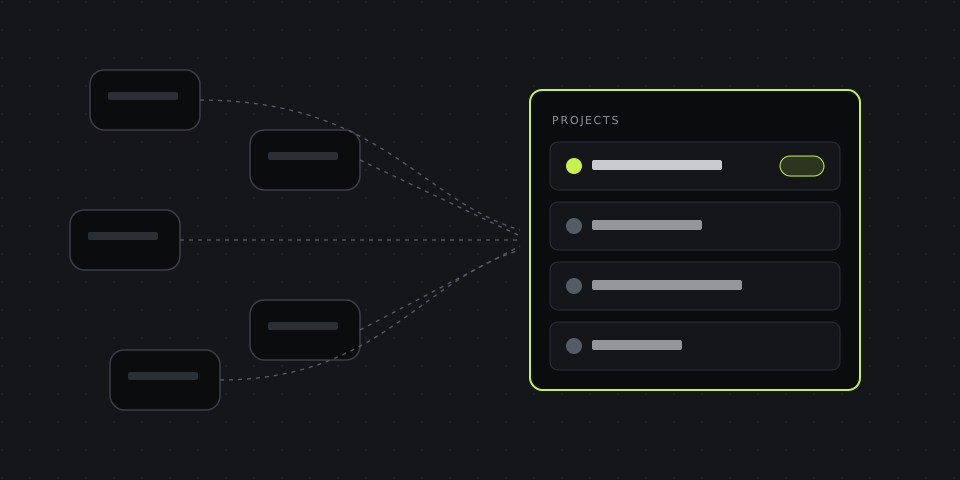
- One dashboard: tasks are grouped into projects you name — one per client — with an unread marker when the client replies, so you don't need to check five chats to know what changed.
Screenshots are free, and so are recordings up to 5 minutes and 10 voice tasks a month. Pro removes the limits for $8 a month billed annually — less than Trello plus Loom. More scenarios on DashShot for freelancers.
Three workflows that save the most time
1. Turning a client's voice message into a task
The client sends a two-minute voice message with three changes mixed together. Instead of re-listening twice and typing it up, record a short voice note restating what you understood — "change the banner text to the autumn offer, swap the second photo, move the contact form above the reviews, by Friday" — and send the client the resulting task link. They confirm or correct it in a comment. Now the request is a task with a deadline, and you both agreed on the same version.
2. Sending revisions with a screenshot
Before you ask "is this what you meant?", take a screenshot of the result with numbered callouts on each change and send the link. The client can answer "1 and 3 yes, 2 not quite" instead of describing positions on a page. For whole pages, capture the full scrolling page so nothing is out of frame.
3. The two-minute weekly update
Once a week, per client, record a short video of your screen: what's done, what's next, what you're waiting on from them. Under two minutes, with your camera on. It replaces a status call, reassures the client and gives you a record of who promised what.
A weekly routine that keeps it tidy
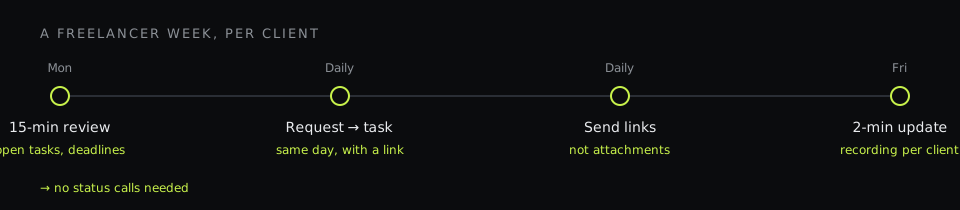
- Monday, 15 minutes: open the dashboard, go client by client, check open tasks and deadlines, reply to comments.
- Every day: anything a client asks for becomes a task the same day. Anything you send a client is a link.
- Friday, 2 minutes per client: the weekly update recording.
- End of project: close the tasks, send a final recap recording, and keep the project as the record of what was delivered.
What to tell clients so the system works
Clients don't need to change how they talk to you — but a few lines at the start of a project help:
- "Send requests wherever is convenient; I'll turn each one into a task and send you the link to confirm."
- "You'll find the status of everything at the task links — no need to wait for me to update you."
- "For visual changes, a screenshot with a circle is worth a paragraph."
Most clients appreciate the clarity. The ones who send ten voice messages a day appreciate it most — because, for the first time, they can see that nothing they asked for got lost.